Digitalización de Patrones Existentes con Escáner: Guía Completa para Ateliers y Diseñadores
La digitalización de patrones físicos mediante escáner representa un salto cualitativo en la gestión de archivos de patronaje. Esta guía técnica analiza métodos, equipos, formatos de salida y mejores prácticas para convertir bibliotecas de papel en activos digitales editables.
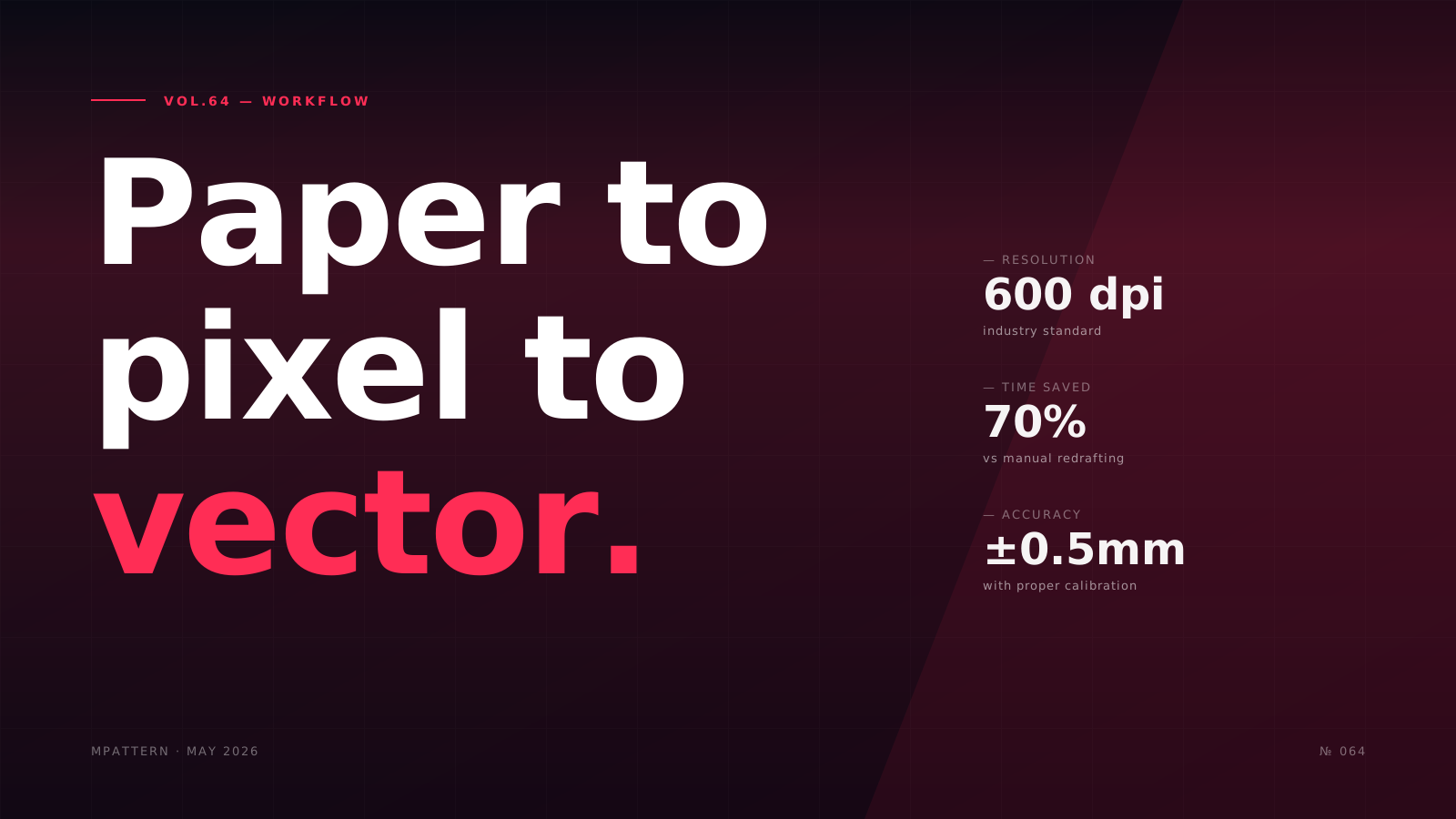
The transition from physical pattern archives to digital libraries represents one of the most significant operational shifts in modern garment production. Established ateliers, costume departments, and independent designers often possess decades of paper patterns—master blocks, client-specific adjustments, and historical references—that remain inaccessible to digital workflows. Digitization via scanner transforms these static assets into editable, scalable, and preservable digital files.
This guide examines the technical requirements, methodologies, and quality control protocols necessary for professional pattern digitization. We address scanner specifications, file format considerations, vectorization workflows, and integration with CAD environments. The objective is to provide actionable knowledge for practitioners seeking to modernize their pattern management systems without compromising accuracy or losing historical data.
Understanding Pattern Digitization Technologies
Pattern digitization encompasses multiple technical approaches, each with distinct advantages and limitations. The most accessible method employs flatbed or large-format scanners to capture raster images of physical patterns, which are subsequently converted to vector formats suitable for CAD manipulation.
Large-format scanners, typically A0 or larger, represent the industry standard for pattern work. These devices use either CCD (Charge-Coupled Device) or CIS (Contact Image Sensor) technology. CCD scanners offer superior depth of field and color accuracy, critical when scanning patterns with pencil markings, notches, or layered tracing paper. CIS scanners provide compact design and lower power consumption but require patterns to lie perfectly flat against the glass.
Resolution requirements vary by pattern complexity and intended use. According to technical specifications published by the Textile Institute, 300 dpi suffices for basic pattern shapes, while 600 dpi becomes necessary for patterns containing intricate seam allowances, grainlines, and annotation text. Production houses scanning vintage patterns or delicate historical garments often employ 1200 dpi to capture fiber degradation and construction details invisible at lower resolutions.
Alternative digitization methods include digitizing tablets with electromagnetic cursors and photogrammetry rigs using calibrated cameras. Digitizing tablets offer direct vector output but require manual tracing of every pattern edge, a time-intensive process. Photogrammetry, while promising for three-dimensional garment capture, remains experimental for flat pattern work due to distortion correction challenges.
Equipment Selection and Workspace Setup
Professional pattern digitization demands purpose-built equipment and controlled environmental conditions. The scanner forms the core of the system, but peripheral components significantly impact output quality.
Scanner bed size must accommodate your largest pattern pieces without tiling. An A0 flatbed scanner (841mm × 1189mm) handles most commercial pattern work, including full-length coat fronts and wide trouser legs. Brands offering professional-grade solutions include Contex, Colortrac, and Canon imagePROGRAF series. When evaluating scanners, prioritize optical resolution over interpolated resolution—marketing materials often conflate these specifications.
Calibration targets are non-negotiable for dimensional accuracy. Most professional scanners ship with certified reference targets containing known dimensions and grayscale patches. Monthly calibration against these targets corrects for mechanical drift and ensures consistent scaling across scans. A study by the Fashion Institute of Technology found that uncalibrated consumer scanners exhibited up to 2.3% dimensional error over 1000mm distances—unacceptable for production patterns.
Workspace environment affects scan quality through several mechanisms. Ambient light must not leak around the scanner lid during capture, particularly with CIS sensors. Temperature stability prevents paper expansion and contraction; pattern paper stored at 20°C and 50% relative humidity exhibits less than 0.1% dimensional change. Dedicated scanning rooms in industrial settings maintain these conditions year-round.
Pattern preparation before scanning involves removing pins, weights, and adhesive residue that create artifacts in raster images. Torn or fragile patterns benefit from reinforcement with archival tissue paper, ensuring they remain flat during scanning without obscuring pattern lines. For multi-layer patterns traced on tracing paper, scanning each layer separately prevents transparency issues in the final image.
Scan Capture Protocols and File Management
Systematic capture protocols transform ad-hoc scanning into a repeatable, quality-controlled process. Professional digitization workflows separate raster capture from vector conversion, allowing quality assurance at each stage.
Image capture settings require careful consideration of file format, color depth, and compression. TIFF format with LZW compression provides lossless storage while maintaining reasonable file sizes—a 600 dpi A0 scan in 8-bit grayscale typically occupies 80-120 MB. PNG offers similar performance for patterns with line work, while JPEG's lossy compression introduces artifacts that complicate subsequent vectorization.
Color mode selection depends on pattern characteristics. Grayscale suffices for pencil-drafted patterns on white paper. RGB becomes necessary when capturing colored markings, fabric swatches attached for reference, or patterns on tinted paper. Bit depth directly impacts dynamic range: 8-bit grayscale captures 256 tones, adequate for clean patterns, while 16-bit preserves subtle pencil gradations on aged paper.
File naming conventions prevent organizational chaos in large digitization projects. A structured system might encode: [Collection][Garment Type][Size][Piece Name][Scan Date].tif. For example: "SpringSummer2015_Blazer_42_FrontPanel_20250115.tif" immediately communicates content and provenance. Metadata embedded via EXIF tags supplements filenames with scanner settings, operator ID, and quality control status.
Batch scanning workflows, while tempting for high-volume projects, introduce risks. Scanning multiple small pattern pieces simultaneously on a single bed demands precise spatial documentation to reconstruct piece relationships during vectorization. Professional services often photograph the physical layout before scanning as a reference image, then scan pieces individually to avoid ambiguity.
Vectorization Techniques and Quality Control
Raster-to-vector conversion represents the most technically demanding phase of pattern digitization. Automated vectorization algorithms struggle with pattern-specific challenges: seam allowances parallel to cutting lines, notch symbols, grainline arrows, and handwritten annotations.
Vectorization software evaluates pixel patterns to identify lines, curves, and shapes. Adobe Illustrator's Image Trace, Inkscape's Trace Bitmap, and standalone tools like Vextractor employ different algorithms with varying degrees of pattern-aware intelligence. Most require manual parameter tuning: threshold values determine which grayscale levels constitute "line" versus "background," while smoothing factors affect how aggressively the algorithm simplifies curves.
According to research presented at the 2024 International Foundation of Fashion Technology Institutes conference, fully automated vectorization achieves acceptable accuracy (less than 1mm deviation) on only 60-70% of typical pattern pieces. The remaining 30-40% require manual node editing to correct algorithm errors: missed notches, over-smoothed curves at armholes, or false positive lines from paper texture.
Hybrid workflows combine automated vectorization with manual refinement. The operator runs batch vectorization on all scanned patterns, then performs systematic quality control. Each vector pattern is overlaid on its source raster image at 100% opacity to verify correspondence. Critical dimensions—garment length, bust width, armhole depth—are measured in the vector file and compared against physical pattern measurements recorded before scanning.
Notch and annotation preservation requires separate handling. Many vectorization algorithms discard small symbols as noise. Professional workflows employ symbol libraries: the operator marks notch locations manually in the CAD system, selecting from standardized symbols that ensure consistency across the pattern library. Text annotations undergo OCR (Optical Character Recognition) conversion, though handwritten notes often necessitate manual transcription.
CAD Integration and Post-Processing
Vector patterns exported from digitization software rarely integrate seamlessly into CAD environments without post-processing. File format translation, coordinate system alignment, and pattern metadata reconstruction bridge the gap between generic vector graphics and CAD-ready patterns.
DXF (Drawing Exchange Format) serves as the de facto standard for pattern data exchange, supported by virtually all garment CAD systems. However, DXF encompasses multiple format revisions and CAD systems interpret specifications differently. Professional digitization services maintain format profiles for target CAD systems, ensuring exported DXF files include proper layer assignments, line types, and unit specifications.
Coordinate system orientation affects pattern placement within CAD workspaces. Scanned patterns may import with arbitrary origin points or inverted Y-axes depending on scanner driver implementation. CAD preprocessing scripts automate pattern reorientation: translating all geometry to a common origin point, rotating to align grainlines with CAD coordinate axes, and scaling to correct units if scanner software exported in unexpected dimensions.
Grading rule reconstruction presents a unique challenge. Physical patterns often contain grading reference marks—small notches or pen dots indicating where size increments occur. Digitized patterns capture these marks as visual elements but lack the parametric relationships that drive digital grading. Rebuilding grading rules requires pattern engineering expertise: analyzing mark patterns across a size range, inferring grading increments, and codifying these as CAD grading rules.
Pattern metadata—fabric type, lining requirements, interfacing specifications—typically exists as handwritten notes on physical patterns. This information must be transcribed into CAD system metadata fields to maintain pattern library searchability. Some organizations employ structured data capture forms during physical pattern inspection, creating CSV files that import alongside vector geometry to populate CAD metadata automatically.
Tools like MPattern streamline the transition from digitized vectors to production-ready patterns by offering intelligent interpretation of common pattern conventions, though any digitized pattern benefits from systematic post-processing regardless of the CAD platform.
Archival Standards and Long-Term Preservation
Digitization serves dual purposes: enabling immediate digital workflow integration and ensuring long-term pattern preservation. Archival-quality digitization follows standards developed by cultural heritage institutions, adapted for fashion industry requirements.
File format longevity determines whether digitized patterns remain accessible decades hence. TIFF format, standardized as ISO 12234-2, enjoys widespread support and lacks proprietary dependencies. PDF/A (ISO 19005) provides an alternative for patterns combining raster images with vector overlays and annotations, offering better compression than multi-page TIFF while maintaining archival integrity.
Redundant storage protects against data loss. The 3-2-1 backup rule—three copies on two media types with one off-site—provides baseline protection. Fashion archives supplement this with format migration strategies: periodically converting files to current format revisions and documenting migration provenance. The Victoria and Albert Museum's costume collection employs 50-year format obsolescence reviews, though fashion businesses typically operate on 10-year cycles.
Digital preservation metadata extends beyond simple file properties. The Open Archival Information System (OAIS) reference model, ISO 14721, defines comprehensive metadata categories: provenance (who scanned when), context (original pattern location and condition), fixity (checksums verifying file integrity), and representation (software and settings used). Fashion digitization projects adapted OAIS concepts to create Patterns Preservation Metadata (PPM) schemas, now used by several costume museums.
Rights management becomes critical when digitizing patterns created by external designers or held under licensing agreements. Metadata should record copyright status, usage restrictions, and license terms. Some organizations embed this information in EXIF fields or XMP sidecars, while others maintain separate rights databases linked via unique pattern identifiers.
Cost-Benefit Analysis and ROI Considerations
Pattern digitization represents significant upfront investment. Understanding cost structures and anticipated returns enables informed decision-making about project scope and timing.
Equipment costs range from €3,000 for entry-level A0 flatbed scanners to €25,000+ for high-speed production scanners with automatic feeders and integrated quality control systems. According to Vogue Business reports on atelier modernization, most independent designers begin with mid-range scanners (€7,000-€12,000) that balance capability and budget.
Labor costs typically exceed equipment costs in digitization projects. Professional scanning services charge €8-€25 per pattern piece depending on complexity, with vectorization adding €15-€40 per piece. A small atelier with 500 pattern pieces faces €11,500-€32,500 in outsourcing costs. In-house digitization requires staff training (1-2 weeks for competent pattern cutters to achieve proficiency) plus ongoing labor at 20-40 minutes per pattern piece for scan-to-vector workflow.
Operational benefits manifest across multiple dimensions. Digital pattern libraries eliminate physical storage costs—industrial pattern storage consumes 0.8-1.2 cubic meters per 100 patterns. Versioning and change tracking prevent pattern drift, a common issue where incremental hand adjustments compound into significant deviations from original specifications. Search and retrieval time drops from 15-30 minutes (physical filing) to seconds (digital database query).
According to data presented at the 2024 Sourcing Journal Innovation Summit, companies completing comprehensive pattern digitization reported 40-60% reduction in sample development time. Digital patterns enable remote collaboration, parallel development of multiple sizes, and simulation before cutting fabric. One mid-sized European brand calculated payback period of 18 months based solely on fabric waste reduction from first-sample accuracy improvements.
Common Pitfalls and Troubleshooting
Even experienced practitioners encounter challenges during pattern digitization. Recognizing common failure modes and their solutions accelerates successful project completion.
Scaling errors constitute the most frequent digitization failure. Scanned images may exhibit uniform scaling errors (entire pattern 2% undersized) or non-uniform distortion (horizontal and vertical axes scaled differently). Root causes include incorrect scanner driver DPI settings, automatic image enhancement features that crop or stretch images, and physical paper expansion from humidity changes between pattern creation and scanning. Solution: always scan and digitize a calibrated reference ruler alongside patterns, measuring the digitized ruler before proceeding with vectorization.
Jagged edges and stair-stepping in vector output indicate insufficient scan resolution or overly aggressive vectorization smoothing. This particularly affects curved pattern areas like armholes and necklines where smooth curves are functionally critical. Increasing scan resolution to 600 dpi and reducing vectorization smoothing factors typically resolves the issue, though manual curve refinement may be necessary for critical areas.
Missing or misplaced notches emerge when vectorization algorithms interpret notches as noise or merge them into adjacent cutting lines. Professional workflows address this by scanning patterns at 600+ dpi, using high-contrast notch marking (black marker on white paper), and performing notch-specific vectorization passes separate from main cutting lines. Some operators photograph notch locations with rulers during physical pattern inspection, creating independent reference documentation.
File size bloat occurs when vectorization generates excessive nodes. A simple straight line should contain only two endpoint nodes, but aggressive automated tracing can produce dozens of intermediate nodes that inflate file size without improving accuracy. CAD systems offer path simplification tools that reduce node count while maintaining dimensional accuracy within specified tolerances (typically 0.1-0.5mm).
Layer structure confusion arises in patterns traced on multiple layers of tracing paper. Scanning these patterns in single pass captures all layers simultaneously, creating vector tangles. Solution: always separate and scan pattern layers individually, reconstructing layer relationships in CAD software after vectorization. This approach also prevents scanning artifacts from paper transparency variations.
The pricing plans for modern pattern platforms often include digitization support services, recognizing that this transition phase represents a significant barrier to digital adoption. Whether outsourcing or managing in-house, systematic planning and quality control protocols ensure digitization investments deliver lasting value.
Conclusion
Pattern digitization via scanner represents a fundamental transformation in how fashion businesses manage their intellectual property and production workflows. The technology is mature, accessible, and demonstrably cost-effective for operations ranging from independent ateliers to industrial manufacturers.
Success requires attention to technical detail: proper equipment selection, systematic capture protocols, quality-controlled vectorization, and thoughtful CAD integration. The investment—whether measured in equipment costs, service fees, or staff time—delivers returns through improved pattern accessibility, enhanced collaboration capabilities, and better protection of irreplaceable design assets.
As the fashion industry continues its digital transformation, pattern digitization transitions from competitive advantage to operational necessity. Those who approach it systematically, with appropriate technical standards and quality control, position themselves to fully leverage digital pattern manipulation tools and emerging manufacturing technologies. For teams ready to modernize their pattern libraries, platforms like MPattern offer the infrastructure to translate digitized patterns into production-ready, parametrically editable assets that serve current needs while remaining adaptable to future innovations.
Frequently asked questions
What scanner resolution do I actually need for garment patterns?
Professional pattern work requires 600 dpi optical resolution as the industry standard. This captures fine details like notches, grainlines, and pencil annotations accurately. 300 dpi suffices only for simple pattern shapes without critical markings. Vintage or delicate patterns benefit from 1200 dpi to preserve degradation details. Avoid confusing optical resolution with interpolated resolution in scanner specifications.
How long does it take to digitize a complete pattern set?
A complete garment pattern typically contains 8-15 pieces. Scanning takes 3-5 minutes per piece at 600 dpi on professional equipment. Vectorization and quality control add 20-40 minutes per piece depending on complexity. Expect 4-8 hours of total labor for a full garment pattern from scan to CAD-ready vector files. Batch processing multiple garments reduces per-piece time through workflow optimization.
Can I use a regular office scanner for pattern digitization?
Office scanners (A4/Letter size) physically cannot accommodate full-size pattern pieces which often exceed 800mm in length. Tiling multiple scans introduces alignment errors and complicated stitching workflows. Consumer scanners also lack calibration features necessary for dimensional accuracy. For professional results, invest in A0 or larger flatbed scanners designed for technical drawing reproduction, or outsource to specialized digitization services.
What file format should I save digitized patterns in?
TIFF with LZW compression for raster scans provides lossless quality and universal compatibility. For vectorized patterns, DXF format ensures broad CAD system support, though you must verify specific DXF revision compatibility with your target software. PDF/A serves archival purposes by combining raster and vector elements. Avoid JPEG for pattern work due to compression artifacts that complicate vectorization and introduce dimensional errors.
Why do my digitized patterns look distorted compared to the originals?
Distortion typically stems from three causes: incorrect scanner DPI settings causing uniform scaling errors, paper dimensional changes from humidity variations between pattern creation and scanning, or scanner mechanical issues like non-perpendicular scan head movement. Always scan a calibrated reference ruler alongside patterns and measure it in the digital file. If ruler measures incorrectly, adjust scanner calibration or apply scaling correction factors in post-processing.
With MPattern
Cut without printing — projector mode
Project the pattern directly onto fabric. Zero paper, zero taping, guaranteed 1:1 scale.
Try projector mode